Partner Compliance
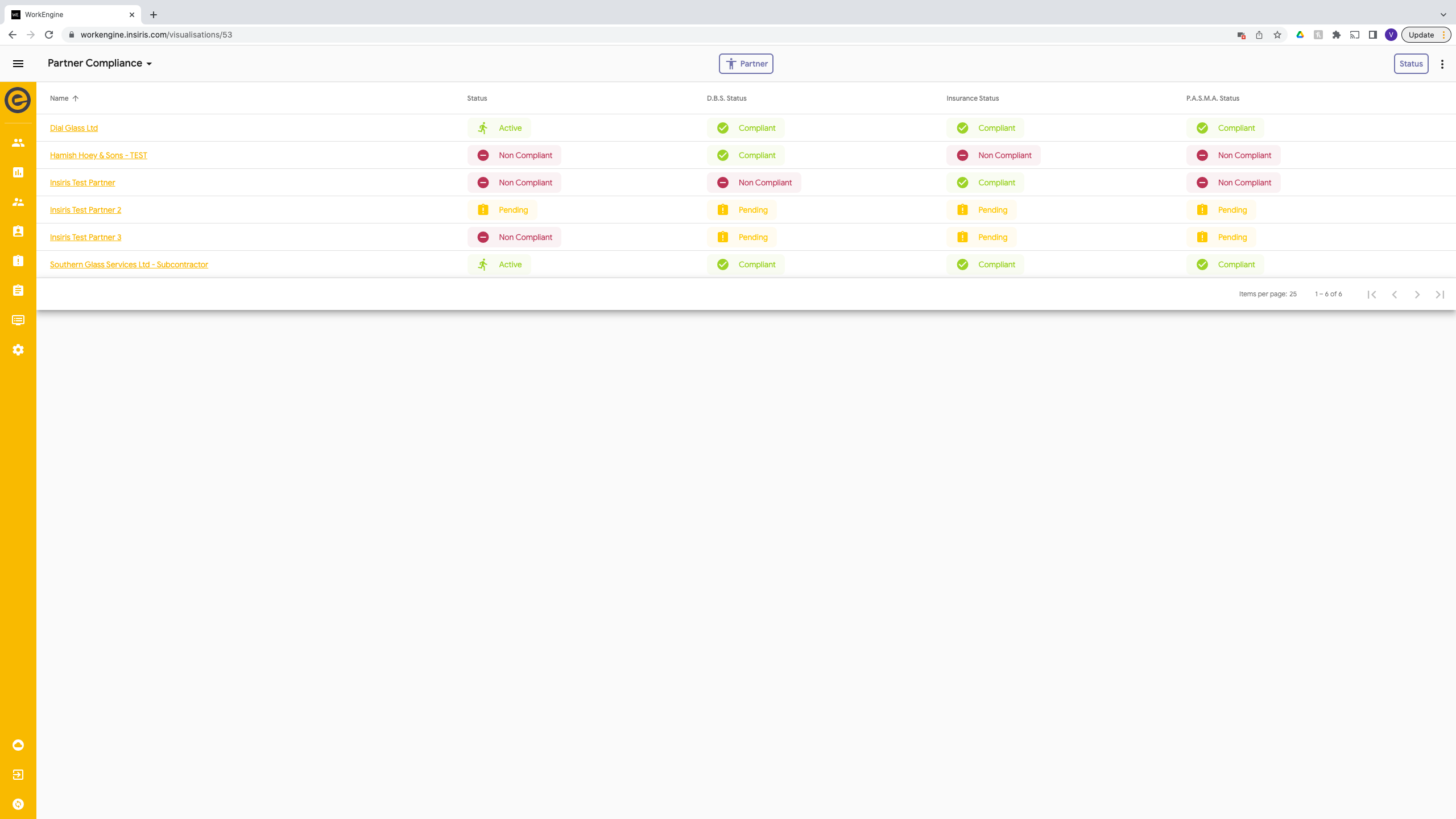
The compliance table shows you a list of partners with a column for each compliance status. These are sorted by name ascending. If you want to filter you can filter by Partner Status.
| Status | Colour | Description |
| Pending | Yellow | Awaiting compliances to be added. |
| Awaiting Verification | Blue | Waiting for Evander to verify the compliance |
| Expires Soon | Purple | Compliance will expire within 8 weeks or less and action need to be taken. |
| Non Compliant | Red | The compliance has exceeded the expiry date or there is an issue and Evander have not verified the compliance.
|
New Partner Compliance
When a new Partner is created on the system they will be placed in ‘Pending’ awaiting for all their documents to be added to the system.
They will add in their compliances and move this to ‘Submit’ this will change the status of that compliance to ‘Awaiting Verification’ and an email will be sent to both the Partner and Evander to stay that this has been submitted.
These will then need to be verified. There are 2 ways to do this:
- Go into the Partner View and go to the compliance page
- Partner Compliance View and select the one you need to look at.
To View from Partner
- Go into the Partner table
- Select the Partner
- Go to the Compliance Page
- Select the Expiry Date of the one you need to view
- You can now view all the details and move the status.
- Select the ‘Awaiting Verification’ Dropdown and select Verified if they are Compliant or Not Verified.
To View From Partner Compliance
- Go to the Partner Compliance table
- Find the Partner
- Select the Compliance you need to view
- You can now view all the details and move the status.
- Select the ‘Awaiting Verification’ Dropdown and select Verified if they are compliance or Not Verified.

When this has been verified an email will be sent out to the Partner.
Once all the compliances have been verified the status of the Partner will be automatically moved to Active.
Expires Soon
When the expiry date is within 8 weeks the status will be moved to ‘Expires Soon’ and an email will be sent so that this can be updated.
To update, the Partner needs to update the document and expiry date from their Partner Home Form and move to Submit. This will then follow the verification process above.
If by the expiry date this has not been updated the Partner will be automatically moved into ‘Non-Compliant’ and no appointments will be allocated to them.