Partners
The Partner view will allow you to see all your Partners and information regarding them. You will also see if they are active on the system.
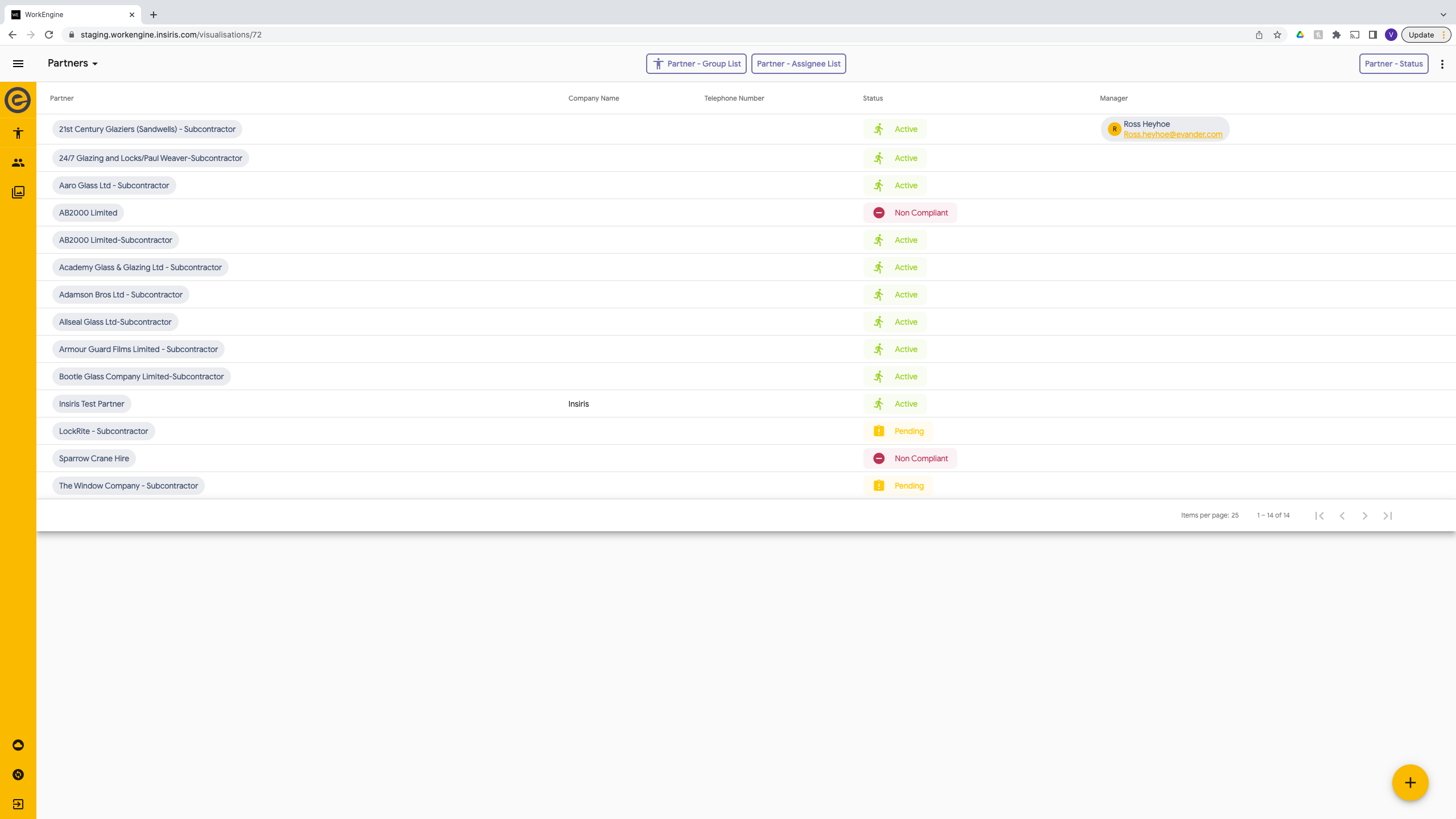
The table view shows you a list of all partners. This is sorted by Name in ascending order. However if you need to search using the ‘Filter’ button on the top right and this will allow you to filter by name. You will need to select ‘Partner - Group List’ to view the dropdown.
Partners will be shown in 1 of 3 different statuses, Pending, Active or Non Compliant.
| Status | Colour | Description |
| Pending | Yellow | Need to ensure that all compliances have been verified and updated. |
| Active | Green | The partner can be sent appointments. |
| Non Compliant | Red | Compliances are incomplete or out of date. No appointments will be allocated to them. |
To view more information regarding the Partner select which one you want to view and click their name.
This will open the Partner Details form where you can view and update notification email addresses and add/view their prequalification information.
If you go to the next page on the form you will be able to view or update (on their behalf) their compliance.